
Core Web Vitals in 2026: LCP, INP and CLS Explained in Simple Words
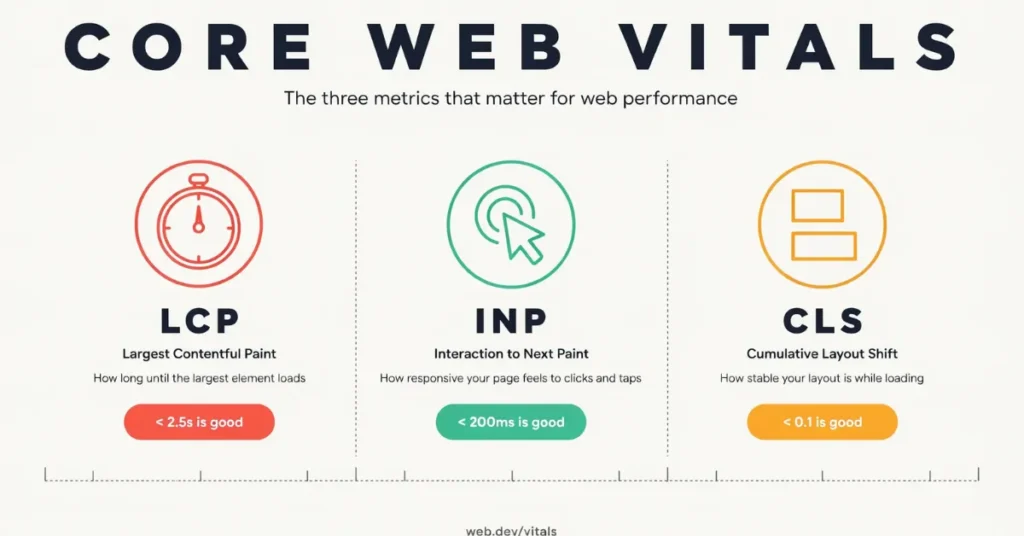
Core Web Vitals are Google’s three simple checks for how a real visitor feels on your website. LCP checks how fast your main content appears, INP checks how fast your site responds when someone taps, and CLS checks whether your page jumps around while it loads. If all three are good, your site feels fast and steady.
What Are Core Web Vitals?
Think of Core Web Vitals as a traffic light, not a school grade. Each metric is Good, Needs Improvement, or Poor. You pass only when all three are Good.
Google does not judge on one visit. It looks at the 75th percentile, which means three out of four visits need to be good. That is why your own test on fast office Wi-Fi can look fine, while real visitors on phones still have a slow experience.
Here are the three metrics, and what “good” means for each one:
| Metrics | What it measures | Good score |
|---|---|---|
| LCP | How fast the main content appears | 2.5s or less |
| CLS | How much the page moves while loading | 0.1s or less |
| INP | How fast the page responds to a tap or click | 200ms or less |
That table is the whole test, in simple words. The rest of this guide explains what each number means in real life, and what to fix on WordPress. See how to increase WordPress speed.
Why a Slow, Jumpy Site Costs You Customers Before Google Does
A visitor does not think about speed. They just feel it. They tap your link, wait for the photo to appear, and if nothing happens, they go back. You never hear from them. You just lose the call.
A jumpy page is worse. Someone tries to tap “Call Now,” the page moves, and they tap the wrong link. They get annoyed and leave. That is not a ranking problem first. It is a customer problem first.
Google does care about these numbers, but your visitors care first. Fix the experience for them, and the search part usually follows.
The Three Metrics of Core Web Vitals
Largest Contentful Paint
It measures how long the largest thing on the first screen takes to appear. On most small business sites, that is the hero image or the main headline.
If your hero image is large, uncompressed, or lazy-loaded, LCP will be slow. A lazy-loaded hero is a common mistake. Lazy loading is good for images further down the page, but not for the one at the top. The browser waits, and so does your visitor.
On WordPress, LCP is often slow because of a heavy hero image, slow hosting, or a theme that loads too much before the first screen. To improve it, start with the hero. Use a smaller, compressed image in WebP, serve the right size for a phone, and do not lazy-load it. Then check your hosting and caching. Those three steps fix most slow LCP problems.
Cumulative Layout Shift
It measures how much your page moves while it loads, without you asking it to move. You know the moment. You are about to tap a button on your phone, a banner loads at the top, and everything shifts down. Your thumb lands on the wrong link. That is CLS in real life.
On WordPress, CLS usually comes from images with no width and height, ads or banners with no reserved space, and fonts that change size when they load. The fix is simple to say and easy to miss: give every image and video a size, so the browser saves space for it before it arrives. Reserve space for banners and cookie notices, or show them as an overlay that sits on top of the page instead of pushing content down. Use fewer font styles, and test on a real phone after you change anything
Interaction to Next Paint
It measures how long your page takes to respond after someone clicks, taps, or presses a key. It looks at the whole visit, not just the first tap.
INP replaced an older metric called FID in March 2024. FID only checked the first interaction. INP is stricter, because it checks every interaction. A menu that opens fast the first time but freezes later will still fail.
On WordPress, INP is often slow because too much JavaScript is running at once. Chat widgets, pop-ups, tracking scripts, and extra plugins all compete for the same work. To improve it, remove scripts you do not use, delay chat and tracking tools until after the main content loads, and keep your plugin list short. If a plugin adds a script to every page but you only need it on one page, that is a problem worth fixing.
Field Data vs Lab Data — Why Your Score Can Look Different in Two Places
Field data comes from real visitors. Google collects it from Chrome users over the last 28 days, through a dataset called CrUX. This is the data Google uses to judge your Core Web Vitals. It is slow to change, because it covers real visits over time.
Lab data comes from a test. PageSpeed Insights runs Lighthouse once, on a simulated phone with a throttled connection. It is useful for finding the cause of a problem, but it is not what Google ranks on.
That is why you can score 95 in the lab and still fail in the field. The lab test never taps anything, so it cannot measure INP properly. It also tests once, on one device, while real visitors use many different phones and networks. Use lab data to diagnose, and field data to decide if you have a real problem. Do not chase a perfect lab score. Chase a good field score.
How to Read Your Own Score in 10 Minutes
You do not need a developer for this first check. Here is how to check Core Web Vitals on your own site:
Do Core Web Vitals Change Your Google Ranking?
Yes, but only a little. Google uses Core Web Vitals as part of its ranking systems. But relevance comes first. A slow page with the best answer can still outrank a fast page with a weak answer.
Think of it this way: Core Web Vitals help most when two pages are otherwise similar. Then the faster, steadier page has the edge. They will not rescue a page that does not answer the search. And a good score does not guarantee a top ranking.
Fix in This Order on WordPress — Template First, Not Page by Page
To improve Core Web Vitals on WordPress, do not fix one page at a time. Fix the template, and every page built on it improves.
Work in this order:
3 Mistakes That Keep Your Scores Red
First, chasing a 100 lab score. Once your field data passes, put that time into content and customers instead. A perfect lab score does not mean more calls.
Second, stacking speed plugins. Two or three caching and optimization plugins can fight each other. One can lazy-load your hero image while another tries to fix it. Use one well-known plugin, and keep it simple.
Third, fixing one URL at a time. If your service pages share the same template, the problem is in the template. Fix it once, and check the whole group in Search Console